Announcement
Widgetbook v4 Beta is here
Widgetbook v4 Beta is here
A fully regenerated API for Flutter component development. Stronger types, built-in docs, automated UI testing, and reduced pricing for Widgetbook Cloud.
Try Widgetbook v4 today by following the v4 docs, and sign up for the Widgetbook Cloud v4 Beta Program to get 2,5x more snapshots for free.
For years, Widgetbook has helped Flutter teams catalogue their UI. Every use-case, every knob, every addon captured a decision about how a widget should look and behave. That record became the single source of truth for Flutter design systems.
Now Flutter development is changing. AI-assisted workflows are accelerating code generation. Design systems are becoming even more important. Flutter teams need a tool to build a design system that can be used by developers, designers, and coding agents.
Widgetbook v4 is our answer. It introduces a generated, Storybook-aligned API with stronger typing, clearer structure, and out-of-the-box support for automated UI testing.
Why now?
Widgetbook v3 served teams well. But as design systems matured, the cracks appeared. Knobs were powerful but not type-safe. Use-cases were flexible but inconsistent. Writing tests meant duplicating widget state logic that your stories already knew about.
v4 fixes this at the foundation. We rebuilt the API around code generation. Your widget's constructor is the source of truth. build_runner reads it and produces fully-typed story declarations. No guessing, no runtime errors, no duplicated constructor parameters.
What about agentic engineering workflows? This matters more than ever. A generated, structured API means LLMs can read, write, and reason about your stories accurately without hallucinating constructor parameter names or misusing knob signatures. Your stories become machine-readable component context, not just human documentation.
Stay tuned for a detailed agentic engineering workflow guide for Widgetbook in the coming weeks
What's new in Widgetbook v4?
New syntax: better autocompletion and compile-time safety
v3's function-heavy setup is gone. v4 replaces it with generated declarations that give you autocompletion, type checking, and a consistent structure across every story in your codebase.
v3 | v4 | What changed |
|---|---|---|
|
| Use-cases are now stories |
|
| Knobs are now type-safe args |
Addons only | Addons + Modes | Modes define concrete addon configurations |
Annotation + function setup | Generated declarations | Better type-safety, autocompletion, structure |
The simplest story in v4 looks like this:
Meta<T> anchors your stories to a component. Run build_runner and Widgetbook generates the rest. Every property in your widget's constructor becomes a typed Arg. No more stringly-typed knobs that fail silently at runtime.
Component documentation
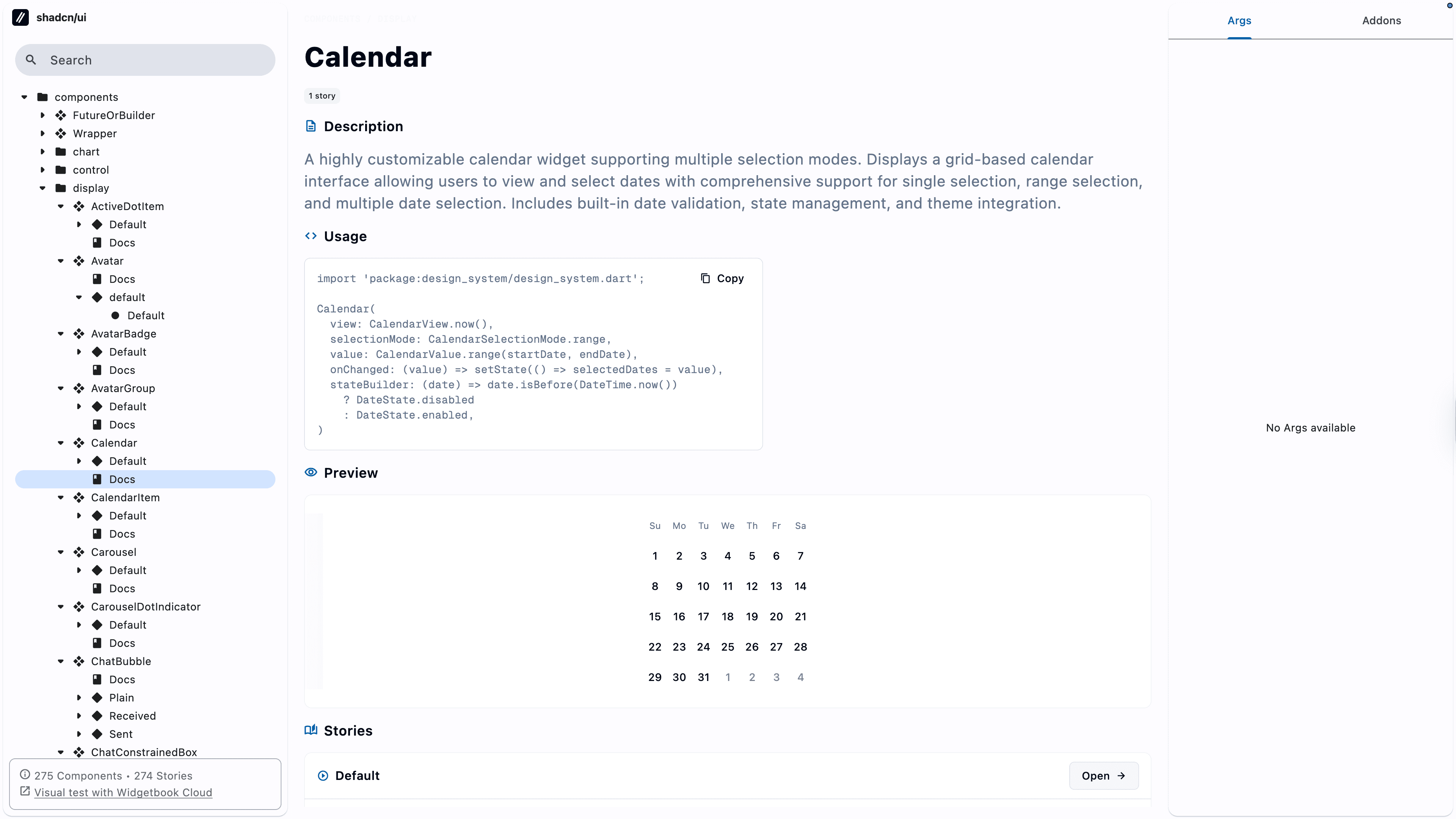
v4 introduces automatic documentation powered by DocBlocks. Docs are generated from your components and stories, and can be customized globally or per-component via Meta. You write Dart doc comments once — Widgetbook surfaces them in the right place, in the right format, for every component in your catalogue.
Here you can see an example documentation of a Calendar component:
Automated UI tests
Introducing Scenarios
This is where v4 earns its major version bump. Scenarios are story-level test configurations similar to golden test cases, but embedded directly in your story file. You define specific args and mode values, and Widgetbook generates snapshots for each one automatically.
No separate test harness. No duplicated widget instantiation. Your stories are your tests.
Every scenario becomes a reproducible snapshot. Every widget state is covered. Because scenarios live next to your story code, they stay in sync when your widget changes. No orphaned golden files, no stale tests.
Scenarios also make Widgetbook v4 a natural fit for agentic engineering. A code agent can read your stories, generate new scenarios for edge cases, and trigger snapshot comparisons within a structured, type-safe API that doesn't require deep knowledge of your codebase.
Interaction testing with Widgetbook Cloud
Scenarios aren't limited to static states. Combined with Widgetbook Cloud, you can define interaction sequences, such as taps, gestures, assertions, to verify widget behavior automatically on every commit.
Your widget is rendered, tapped, and verified. Widgetbook Cloud runs these on every pull request, catches regressions before they ship, and reports results directly back to your review workflow. Check out the case study with our customer 1KOMMA5º to see an example review workflow with Widgetbook Cloud in action.
Highly reduced pricing for Widgetbook Cloud
v4 makes something else possible that we couldn't do before: smarter snapshot pricing.
Previously, every snapshot consumed infrastructure resources even if nothing had changed. With v4, we can detect whether a snapshot is visually identical before running our comparison analysis. Unchanged widgets cost a fraction of what they used to. We're passing those savings directly on to our customers. Right now, we do not know exactly how much cost savings we will have. We're working closely together with Beta Users to find that out.
As part of the Widgetbook Cloud v4 Beta Program, you get at least 2.5× more snapshot usage at no additional cost.
Plan | Regular snapshots/month | v4 Beta snapshots/month |
|---|---|---|
Starter | 10,000 | 25,000 |
Standard | 20,000 | 50,000 |
Professional | 50,000 | 125,000 |
The same budget. Far more coverage. No shortcuts. We're currently validating the new pricing models through the Beta Program and will announce final plans before general availability.
Join the Widgetbook Cloud v4 Beta Program
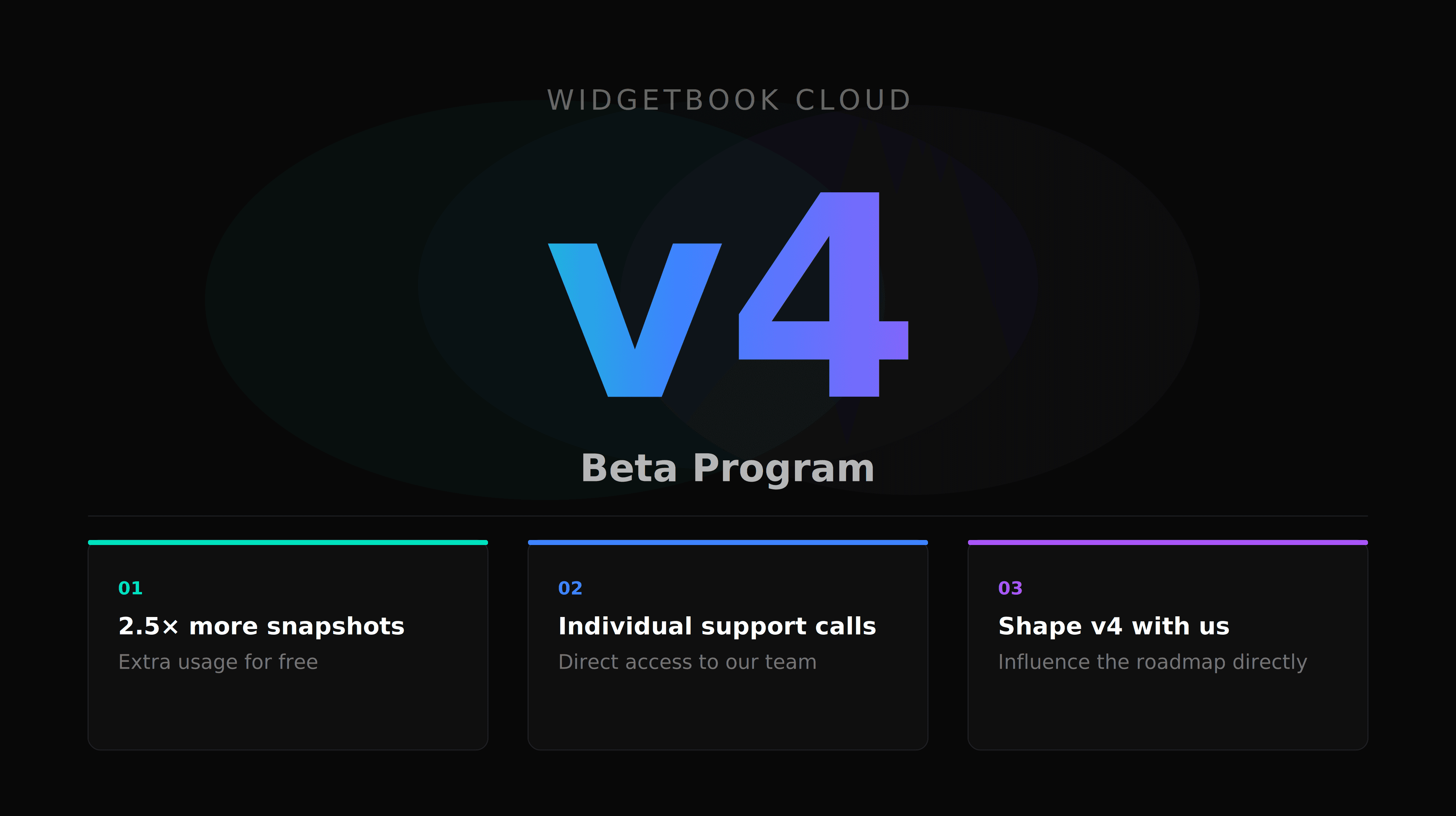
We're inviting Flutter teams to join early and help shape what v4 looks like at general availability. As a Beta Program member, you'll get:
Early access to all v4 features across the open-source package and Widgetbook Cloud
Individual onboarding calls with the Widgetbook team to make sure v4 works for your setup
2.5× the snapshot usage of our standard plans while we finalize pricing
Direct influence on the features we prioritize before the stabel release
This is the right moment to join if you're building a production Flutter design system, running a QA workflow, or planning to integrate agentic tooling into your development process.
Sign up for the Beta Program →
Widgetbook v4 is currently in beta. API-breaking changes can still occur in minor releases. We recommend evaluating it in a non-critical environment before production adoption. Read the v3 → v4 migration guide to get started.