Case study
How 1KOMMA5º builds a custom design system and maintainable Flutter apps with Widgetbook
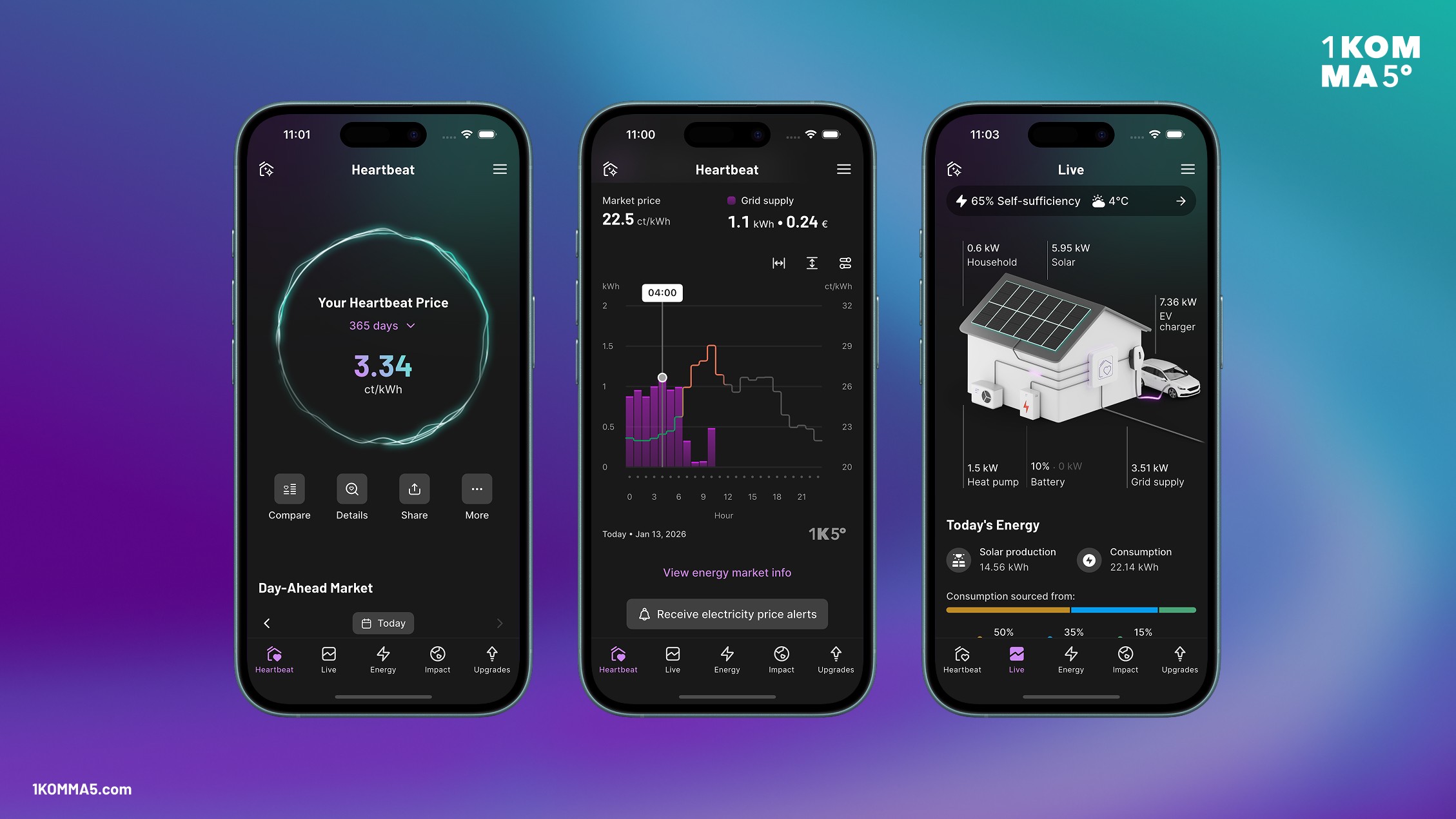
1KOMMA5º uses Widgetbook to build and maintain their custom design system, Harmonized. Widgetbook Cloud helps the team catch visual bugs in their design system and apps early, and align design and development. 1KOMMA5º measured that designers and developers save 20% of their time with the workflow enabled by Widgetbook.
About 1KOMMA5º
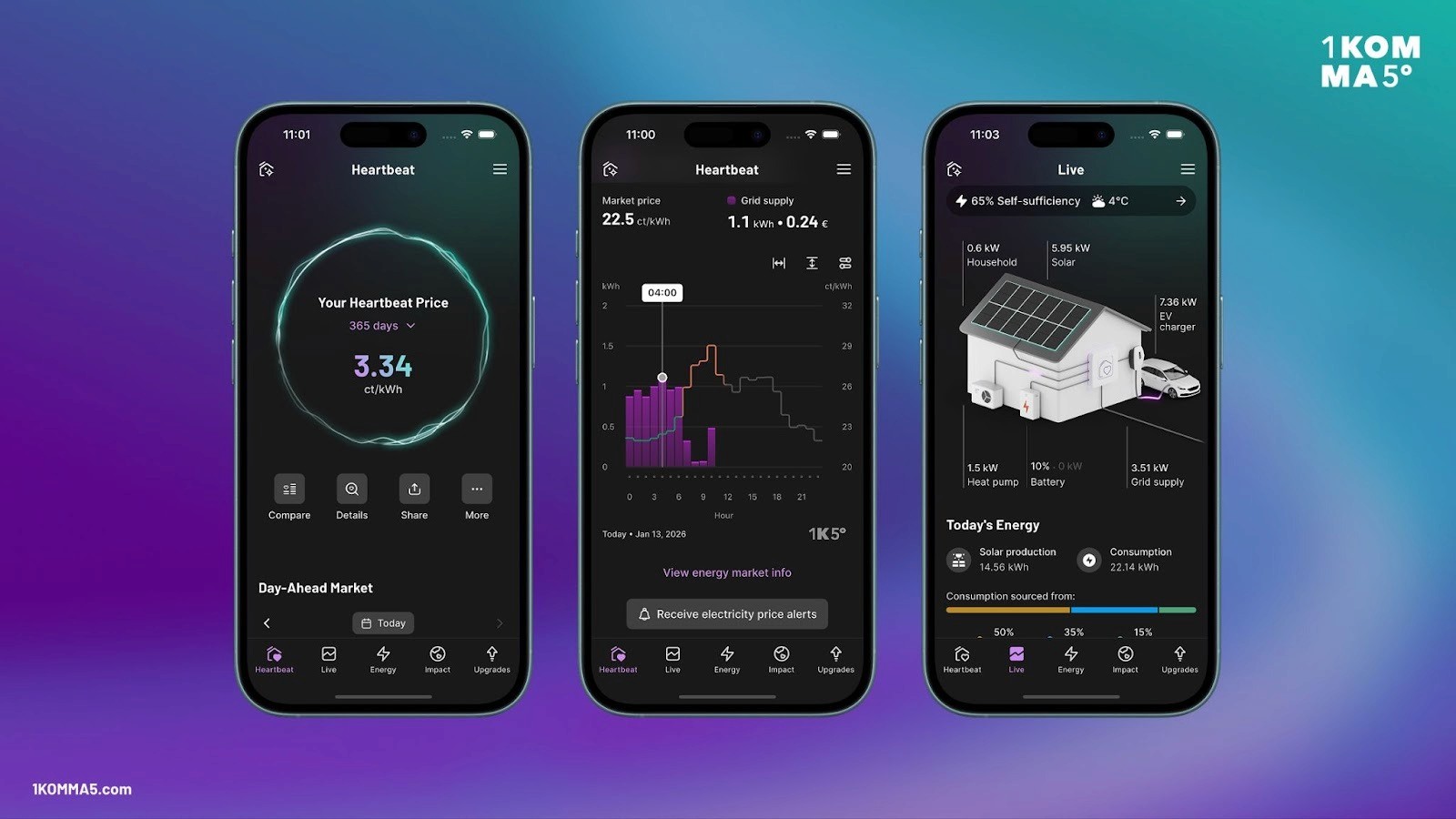
Founded in Hamburg, Germany, in 2021, 1KOMMA5° is a leading New Energy company and Cleantech unicorn, focused on accelerating the transition towards clean, decentralized energy. The company combines solar power, energy storage, and heat pumps with its proprietary energy automation layer Heartbeat AI into a single, integrated ecosystem. Thereby, 1KOMMA5° enables households and businesses to align electricity consumption and production with the rhythm of the wind and sun, reduce their energy costs, and move toward carbon-friendly living. 1KOMMA5º has more than 3,000 employees serving over 120,000 households in 7 different countries worldwide.
In 2022, 1KOMMA5° strengthened its digital strategy by adopting Flutter to unify its mobile development and deliver a consistent experience across devices. Since embracing Flutter, they’ve been able to accelerate product delivery, streamline maintenance, and enhance app performance—making Flutter a foundational technology in their software ecosystem. Today, 1KOMMA5º builds 3 Flutter apps.
How 1KOMMA5° builds and maintains their Custom Design System Harmonized
At 1KOMMA5°, digital products play a central role in connecting customers with clean energy solutions—from solar panels to EV charging to intelligent energy management. To support rapid growth, deliver a cohesive user experience across platforms, and harmonize the developer and designer collaboration, the team set out to build a scalable, future-proof design system: Harmonized.
1. Starting With an Atomic Design System in Figma
The foundation begins in Figma, where designers structure the entire UI following Atomic Design principles. Colors, typography, spacing, and interaction patterns are broken down into reusable tokens and components. This establishes a shared visual language and ensures consistency across every platform.
This Atomic Design System becomes the single source of truth for both design and implementation.
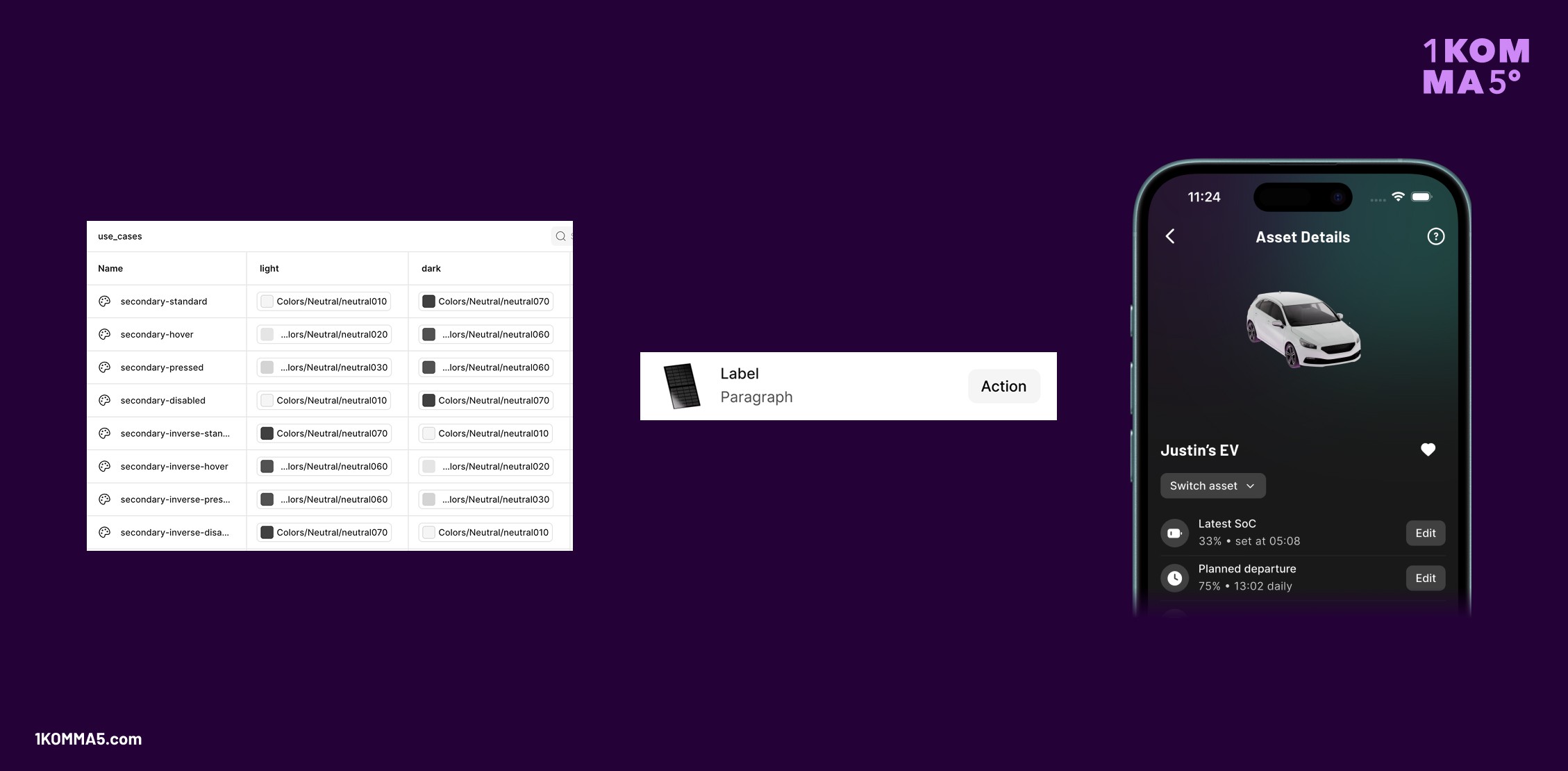
2. Generating ThemeExtensions From Figma Tokens
To bridge design and development, the team converts Figma Tokens into Flutter ThemeExtensions. This is done with a custom BuildRunner that converts JSON exported from Figma into Dart Code. These extensions encapsulate all styles, including colors, radii, elevations, and more, directly into Flutter’s theming system.
Even though Harmonized is not built on top of Google’s Material Design, 1KOMMA5° chose ThemeExtensions for easy theme transitions and established access patterns for developers.
This allows developers to apply design tokens consistently in Flutter and keep themes synchronized with Figma design updates. Whenever the design team updates tokens, those changes can propagate through the codebase with minimal manual work.
3. Building Custom Components with Widgetbook
With a robust theme foundation in place, developers build custom Flutter components with Widgetbook. By allowing widgets to be developed and previewed in complete isolation, Widgetbook removes the noise of surrounding screens, navigation, and app-level dependencies. This focused environment enables developers to craft highly reusable components without worrying about unrelated logic or layout constraints. They can instantly test every configuration the component might encounter: different states, text scale factors, devices, locales, and themes.
These components form the building blocks of all 1KOMMA5° Flutter apps.
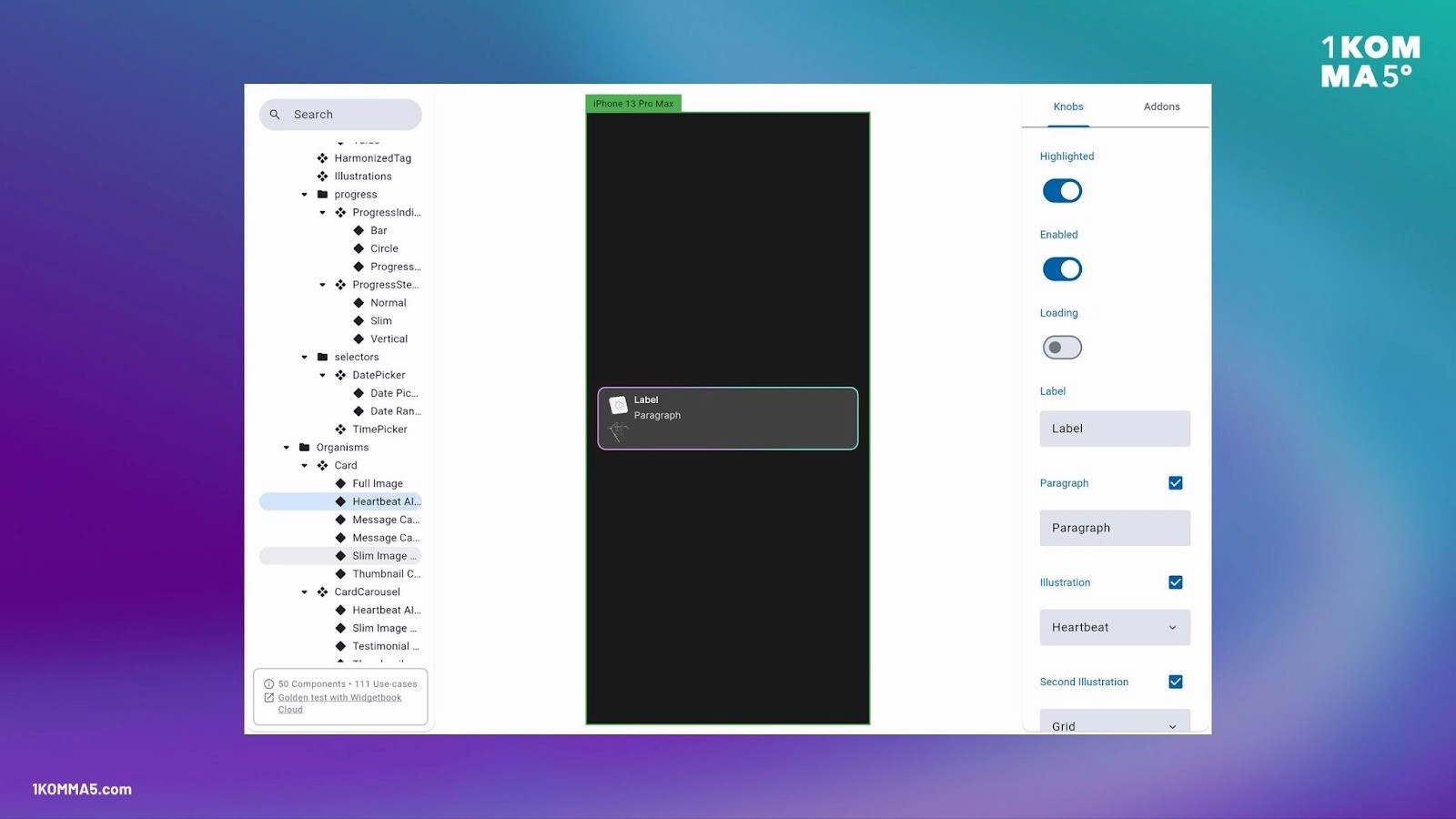
4. Cataloging Components in Widgetbook
Every component is automatically cataloged inside Widgetbook. Developers register every use case and configuration option, allowing the team to share interactive previews with stakeholders.
Widgetbook becomes the development equivalent of a design library: browsable, testable, and always up to date.
5. Mirroring Figma Structure and Naming in Flutter
One of the keys to a frictionless workflow is language alignment. 1KOMMA5° intentionally mirrors Figma’s structure and naming conventions in Flutter. This reduces ambiguity, speeds up communication, and ensures designers and developers are speaking the same language.
Harmonizing Tokens
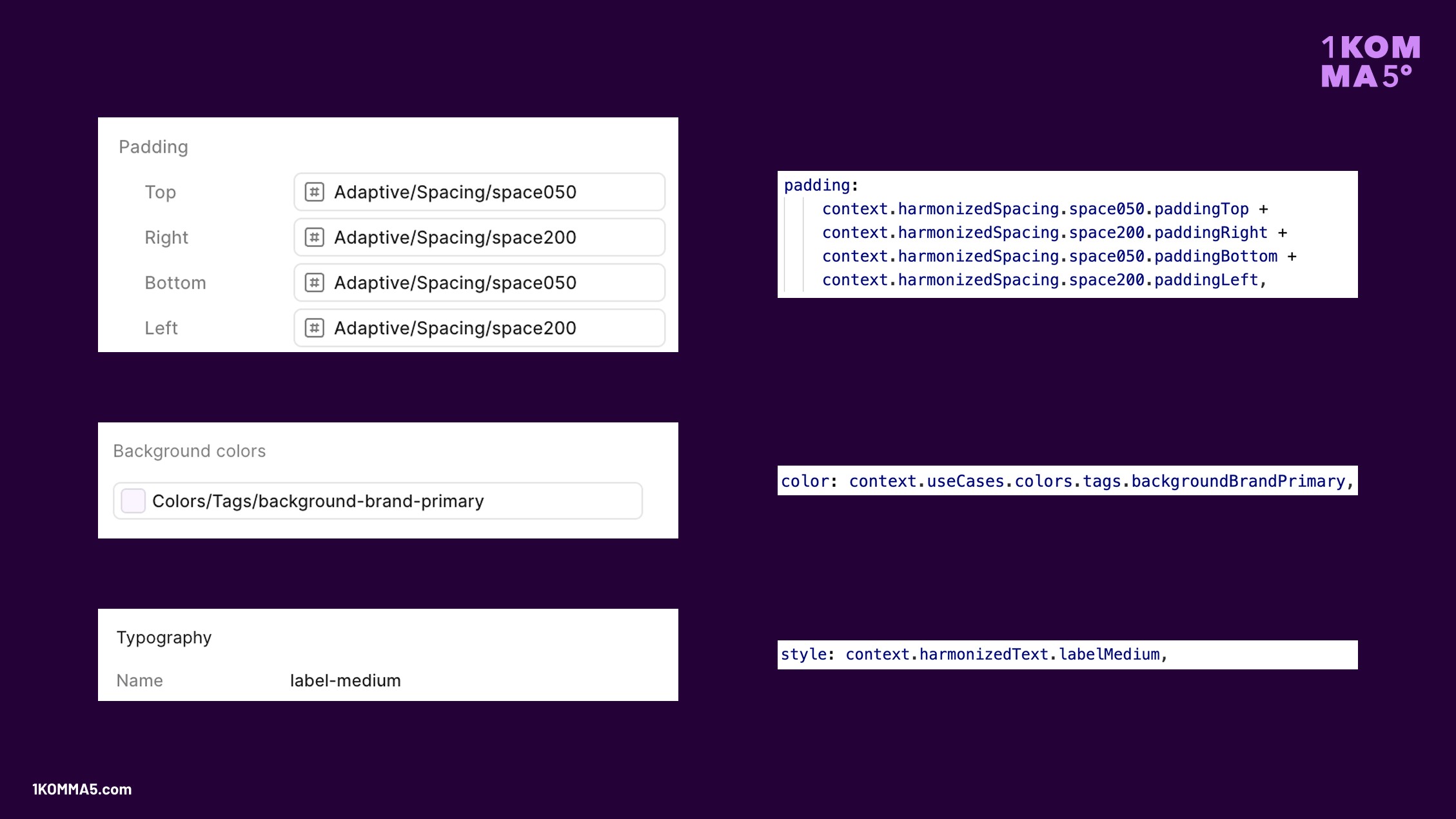
Figma Tokens (left) vs. Flutter ThemeData (right)
Harmonizing Components
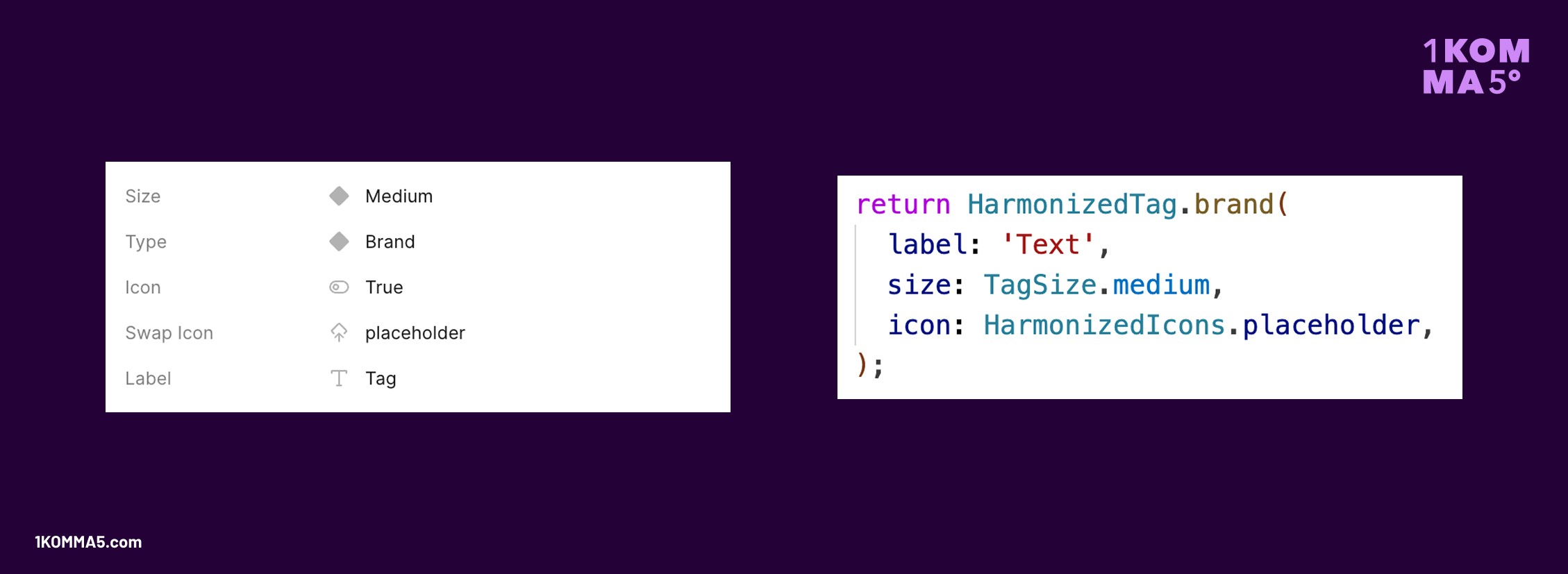
Figma Component Properties (left) vs. Flutter Component Properties (right)
Harmonizing Figma and Widgetbook
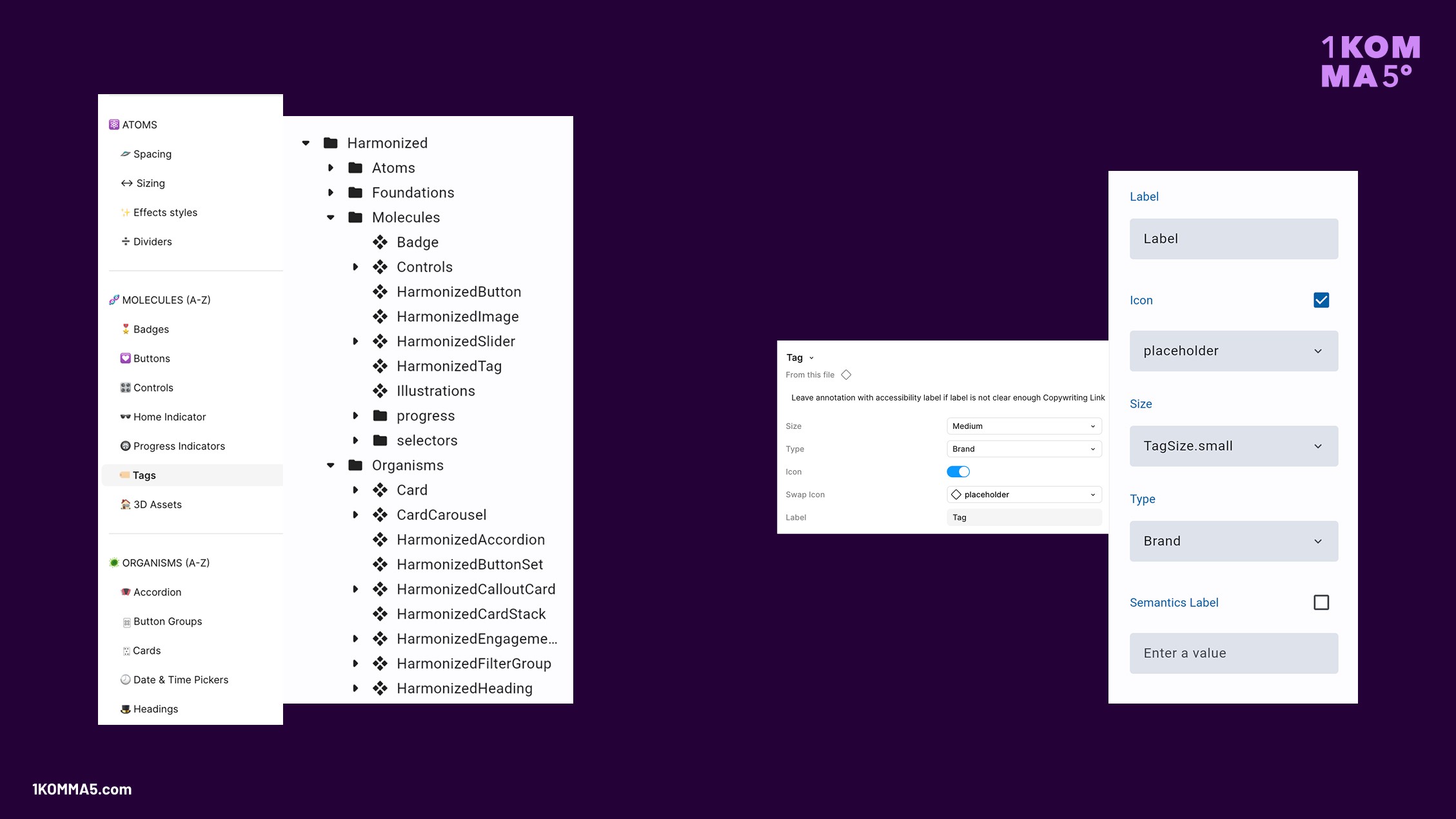
Figma Structure (left) vs. Widgetbook Structure (right); Figma Component Properties (left) vs. Widgetbook Knobs (right)
6. Design Reviews with Widgetbook Cloud to maintain the Design System
Design Systems are dynamic, living organisms that progress over time. Styles or components might change, which affects the design system and the apps. This can impose challenges when unintended visual changes are not noticed. 1KOMMA5º uses Widgetbook Cloud to prevent visual bugs and ensure that the implementation matches the design requirements. This structured review process catches issues early—long before they reach production.
Hosting Widgetbook
Widgetbook Cloud is integrated into 1KOMMA5º’s CI pipeline. Every new push to their GitHub repository triggers a new Widgetbook Build, which becomes available via Widgetbook Cloud to all stakeholders.
Preventing visual bugs
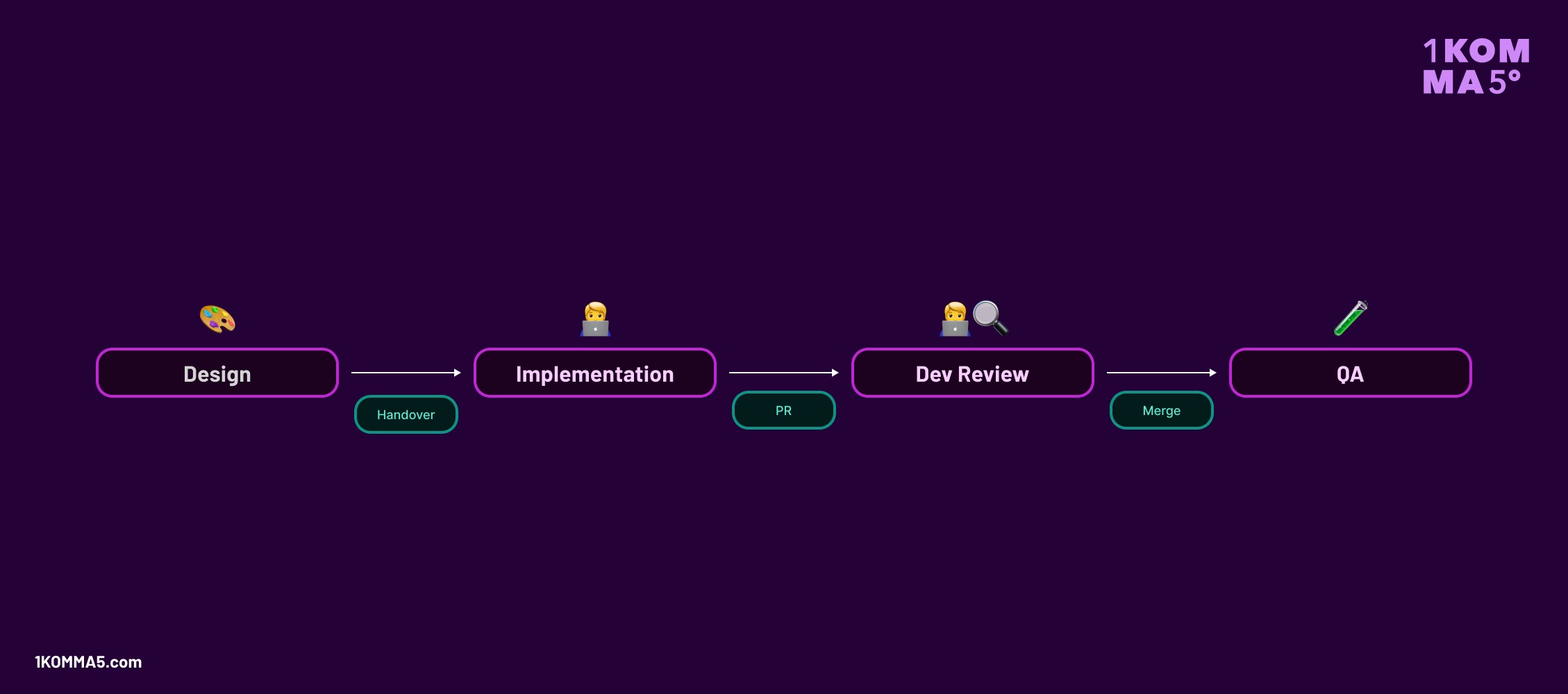
Previously, 1KOMMA5º's developers lacked visibility into whether they introduced visual bugs. While GitHub indicated which lines of code were modified, it did not provide the corresponding visual changes. Consequently, visual bugs were frequently overlooked and had to be identified by the Quality Assurance (QA) team.
Widgetbook Cloud addressed this challenge for 1KOMMA5º. Widgetbook Cloud automatically detects all UI changes in 1KOMMA5º’s pull requests, via UI regression (Golden) tests, and provides the team with a structured review process. Upon the detection of a visual change, a pending GitHub status check is initiated, which prohibits developers from merging a Pull Request (PR) until the review is accepted on Widgetbook Cloud.
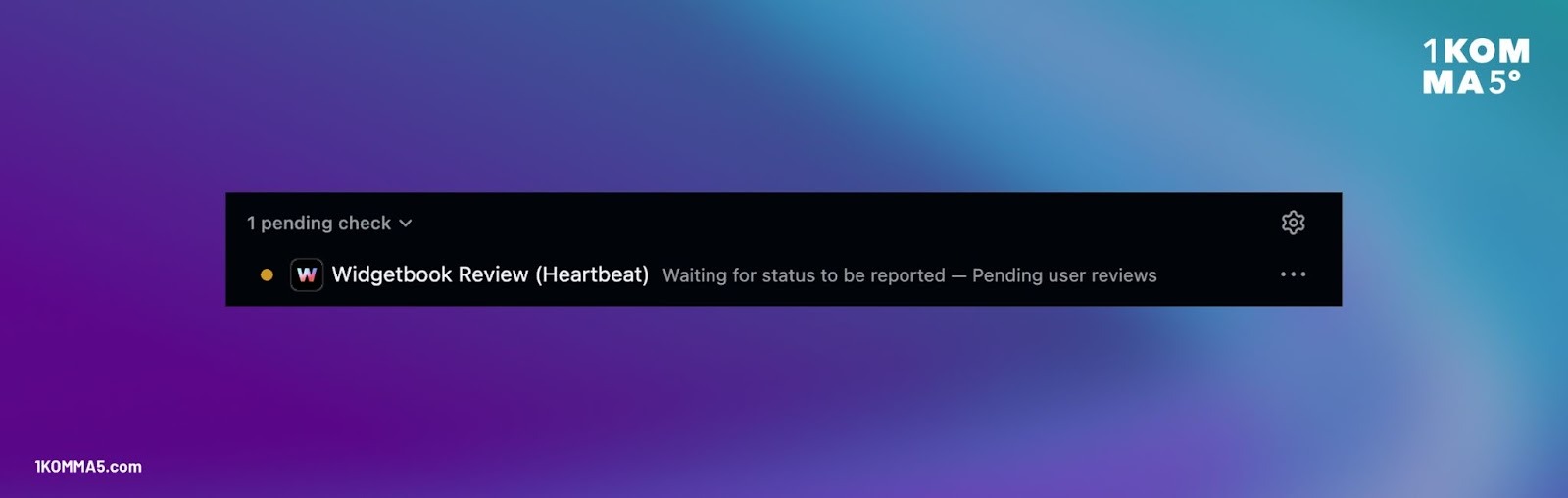
The PR author opens Widgetbook Cloud and reviews their changes. On Widgetbook Cloud, the team can then see a side-by-side comparison between the base (left) and head build (right) of the changed widget.
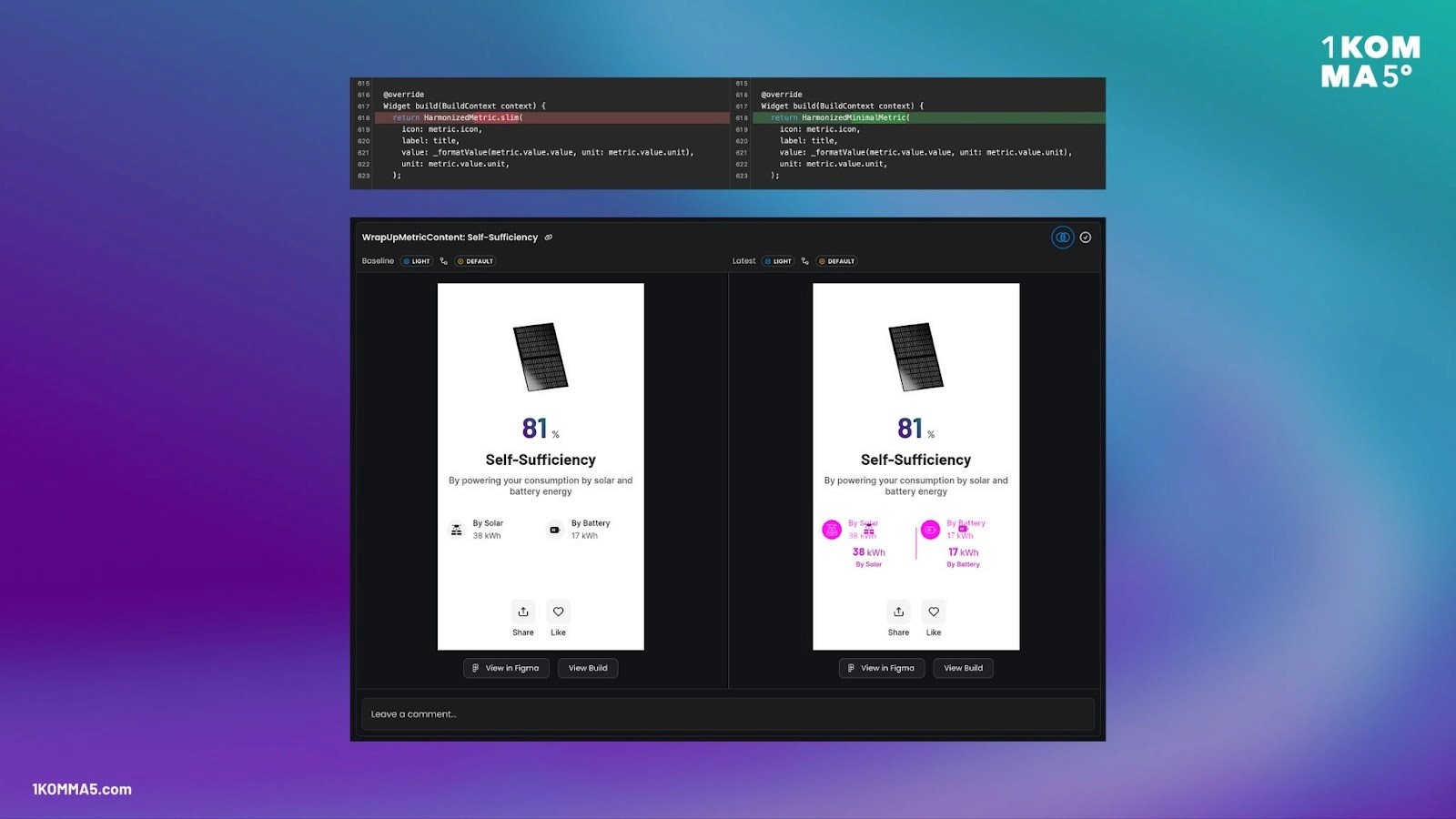
Thereby, Widgetbook Cloud helps 1KOMMA5º prevent visual bugs in production. Since 1KOMMA5º is using Widgetbook Cloud, they shipped 0 visual bugs!
Design Reviews
Before using Widgetbook Cloud, 1KOMMA5º struggled to align design and development.
“As developers, we were not sure if we fully met the design requirements. Since designers were not involved in our review processes, it was hard to get their feedback. So, we had misalignment between design and code, and wrong implementations could be shipped to our customers.”
- Anton Borries, Senior Software Engineer at 1KOMMA5º, and Google Developer Expert for Flutter & Dart
Development Workflow before Widgetbook Cloud:
Development workflow with Widgetbook Cloud:
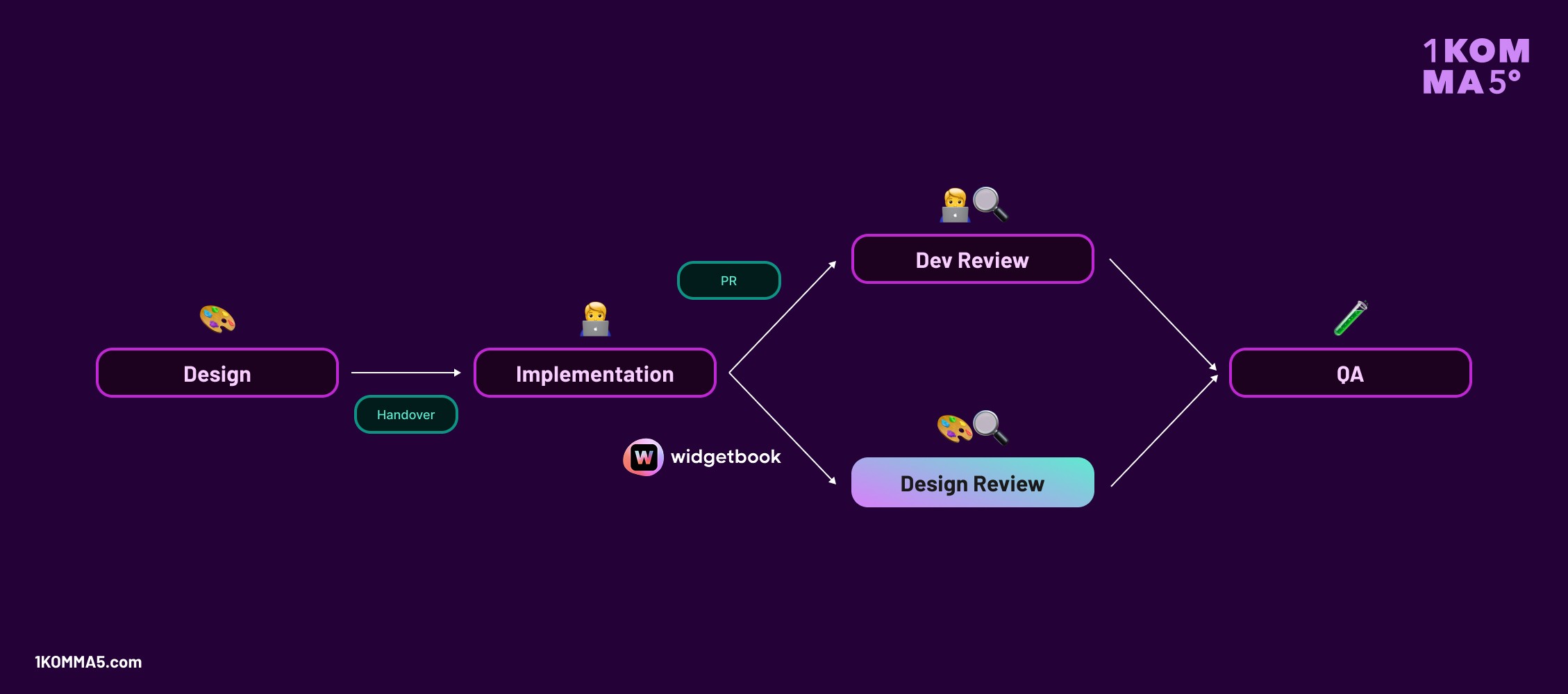
With Widgetbook Cloud, 1KOMMA5º introduced a Design Review step. Designers are now able to check and validate visual changes before the pull request is merged. This aligns design and development early and avoids costly bug fixes in the future.
1KOMMA5º brings Design Reviews also to their apps
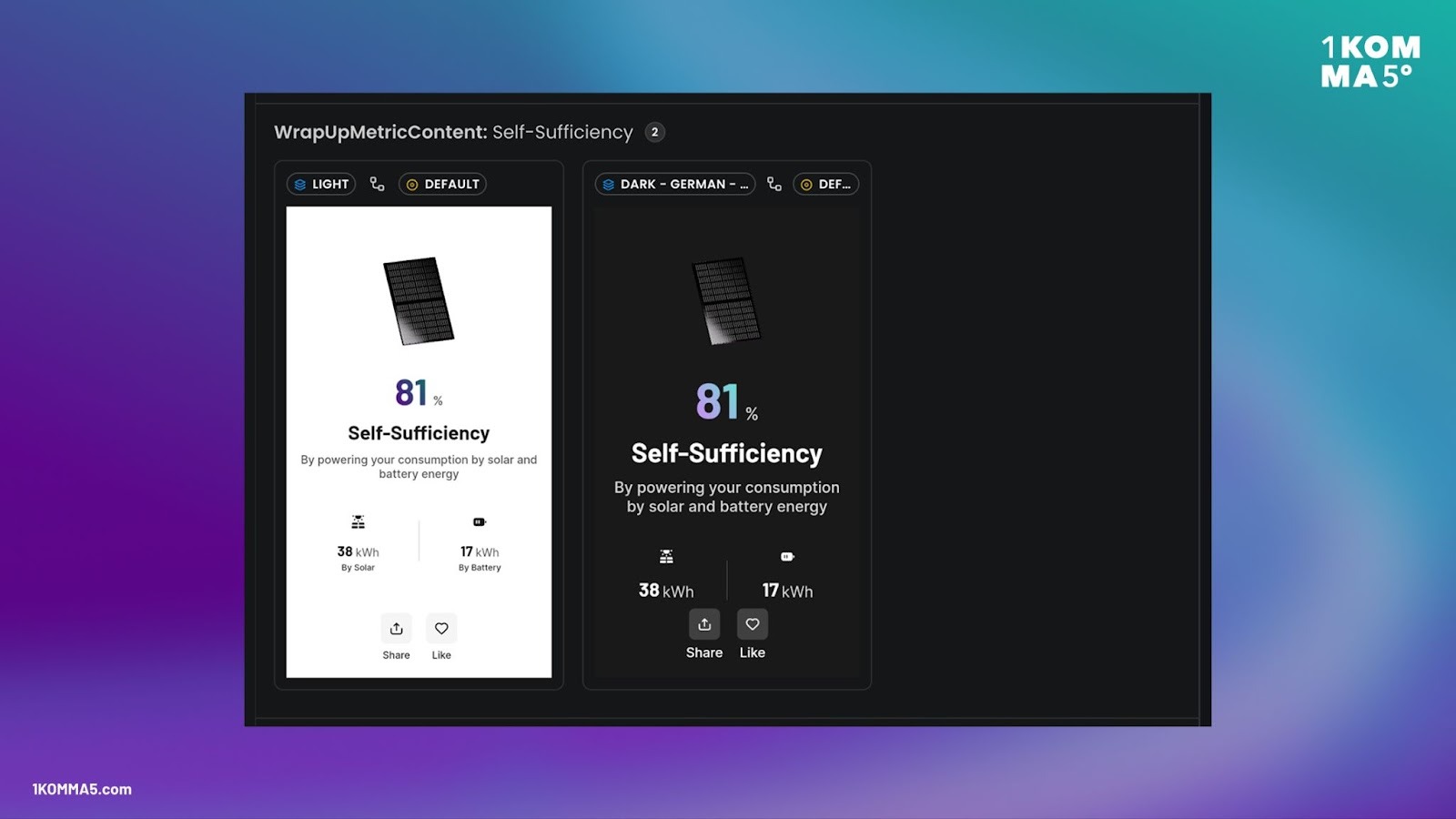
Cataloging entire screens in Widgetbook
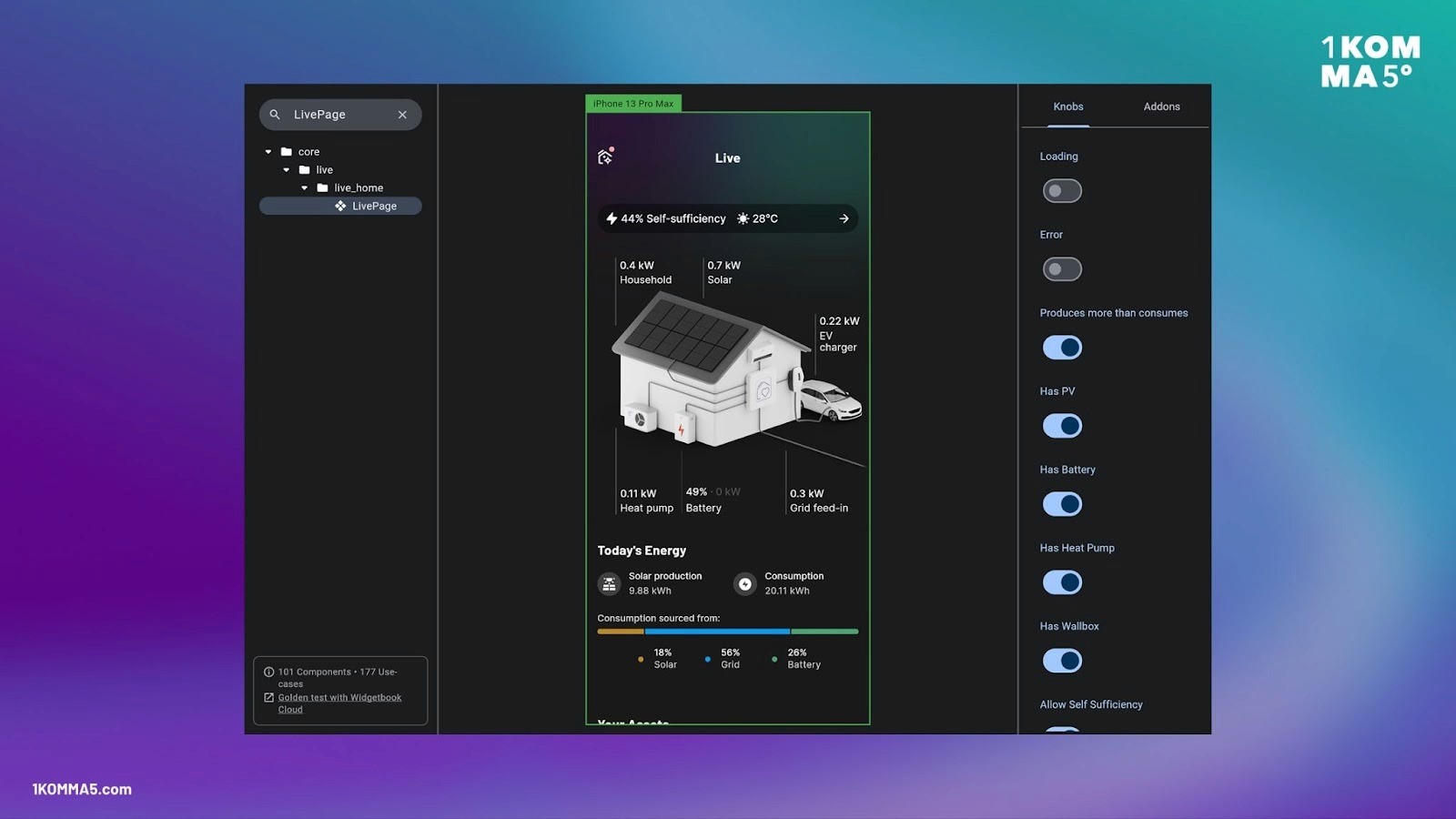
While 1KOMMA5º started using Widgetbook for their design system, the team also quickly adopted Widgetbook for their apps. Every app-specific widget and screen is built with and cataloged in Widgetbook.
“Thereby, we can easily showcase specific edge cases of our app. Sometimes, even for QA, it’s super hard to create and test certain edge cases. It’s way easier to just send them the link to Widgetbook.”
- Anton Borries, Senior Software Engineer at 1KOMMA5º, and Google Developer Expert for Flutter & Dart
Widgetbook Cloud is also valuable for apps, as they change more often than the design system
Apps and their widgets evolve constantly: New features are being added, existing features are being improved. Changing a component might affect multiple screens of the app. While the component change itself might look great, it might break a screen in a certain state.
1KOMMA5º leverages the automated verification of different text scale factors on different device sizes. The team set up automated regression tests for a small vs. a large device, text scale factor 1 vs. 1.35, and light vs. dark mode.
Why 1KOMMA5º recommends Widgetbook
“Widgetbook provides us with a process to build and maintain our design system, prevent visual bugs, and align design and development. We notice that our designers and developers save 20% of their time through this process.”
- Anton Borries, Senior Software Engineer at 1KOMMA5º, and Google Developer Expert for Flutter & Dart